Archive Search
Archive Search works against indexed historical results. It supports natural language, face recognition, and image similarity search modes from the same page.
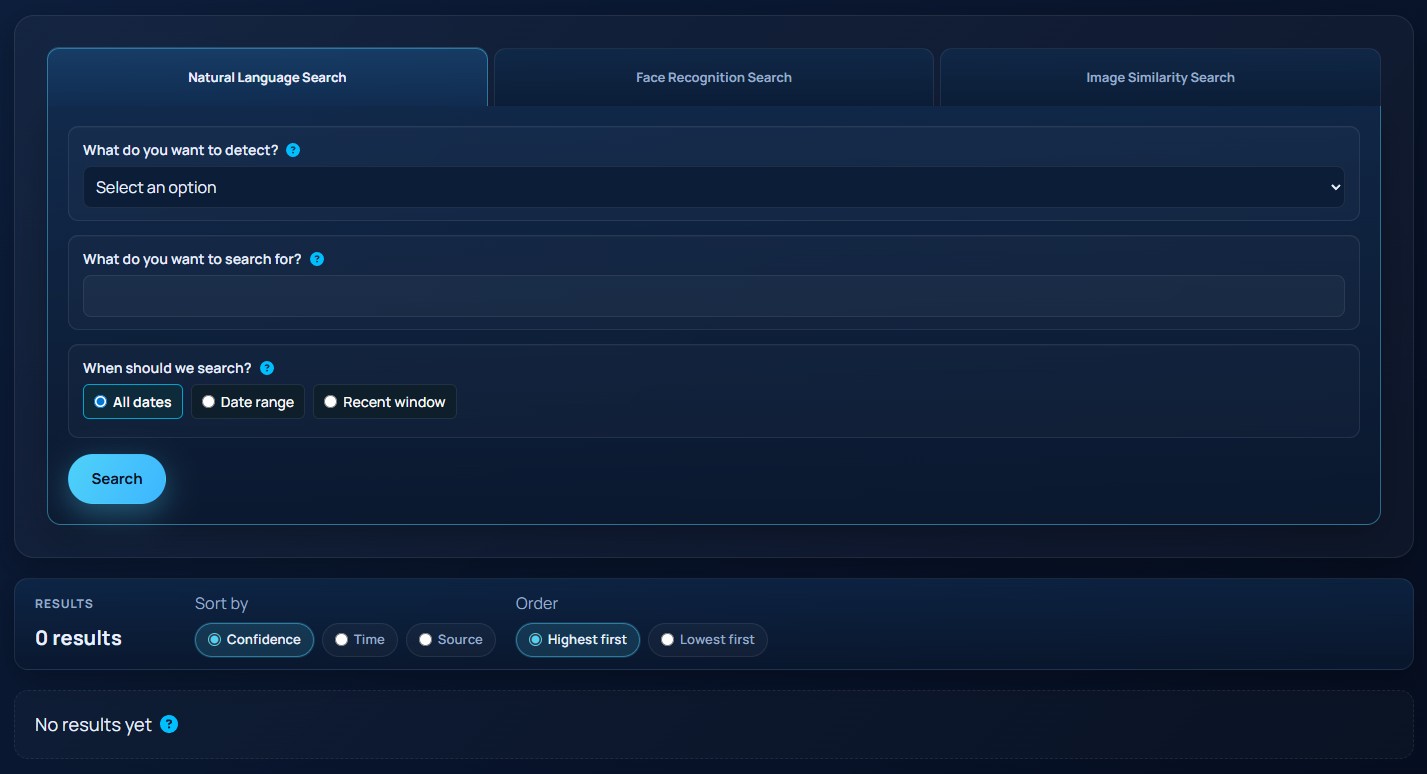
The screenshot below shows the archive search form with the search mode tabs.
Search modes
Use the tabs at the top of the page to choose one of these modes:
Natural Language SearchFace Recognition SearchImage Similarity Search
Natural language search
This mode requires:
What do you want to detect?What do you want to search for?
The object type list currently includes Person, Vehicle, Animal, and Bag.
Face recognition search
This mode lets you search by:
PersonGroup
The name field uses autocomplete results returned from the server. Select a suggestion before you run the search.
Image similarity search
This mode accepts one uploaded image. Drag and drop the file or use Browse to choose it locally.
Time filters
Archive Search supports three time scopes:
All datesDate rangeRecent window
Date range uses start and end date/time fields. Recent window uses days, hours, and minutes back from the current time.
Working with results
The screenshot below shows the archive results list with result cards and sort controls.
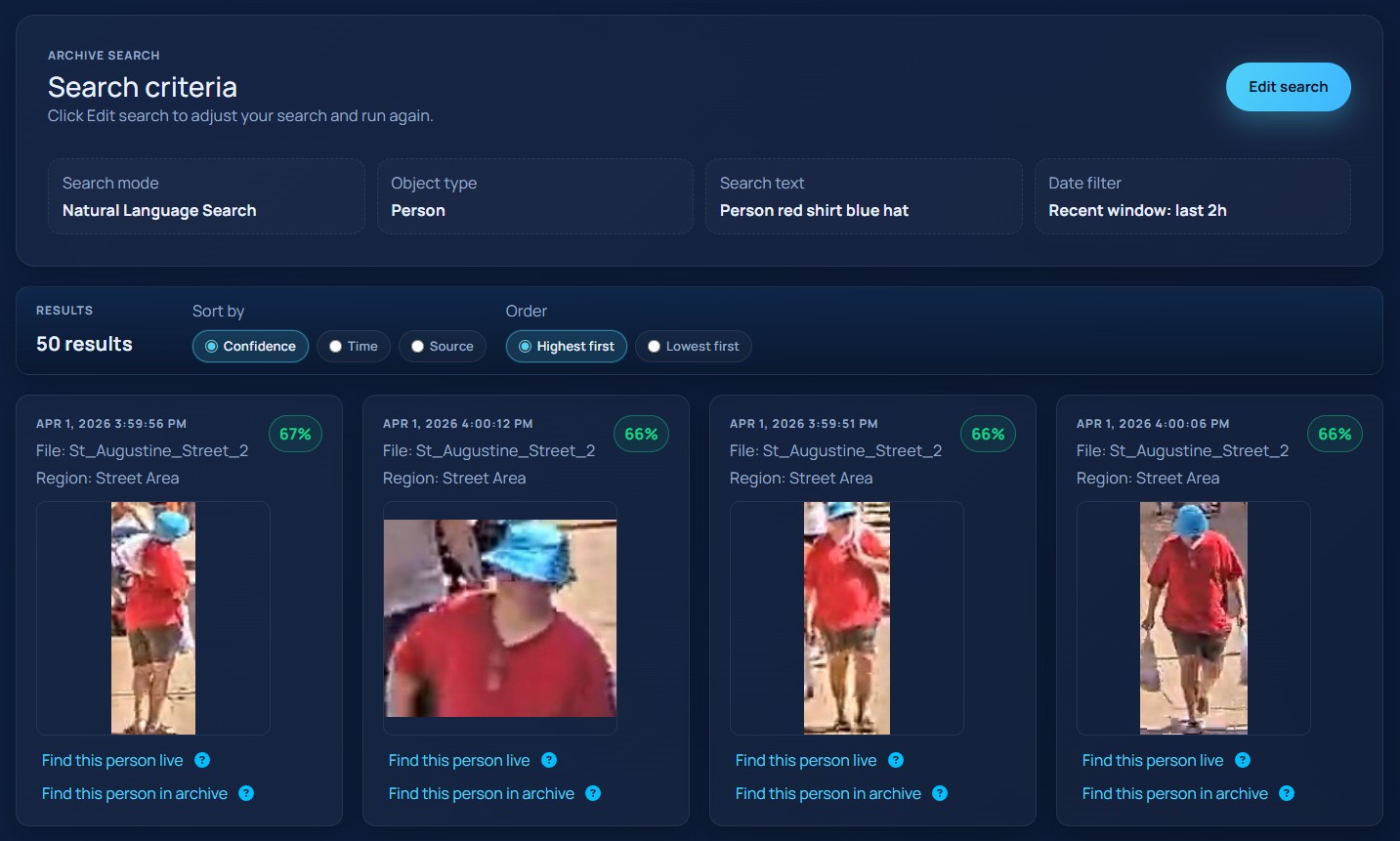
Result cards show:
- timestamp
- source file or stream
- region
- confidence, when available
- detected face name, when available
- image thumbnail with full-size preview
You can sort results by:
ConfidenceTimeSource
Each result card also exposes follow-on actions:
Find this <object> in archiveFind this <object> live
Find this <object> in archive starts a similarity-style pivot from the selected result. Find this <object> live attempts to carry the current archive criteria into the live search workflow.