Video Monitoring Overview
Video Monitoring is the main workflow for configuring live RTSP streams, defining monitored areas, and receiving alert-driven detections.
The screenshot below shows the monitoring workspace with the stream list on the left and recent detections on the right.
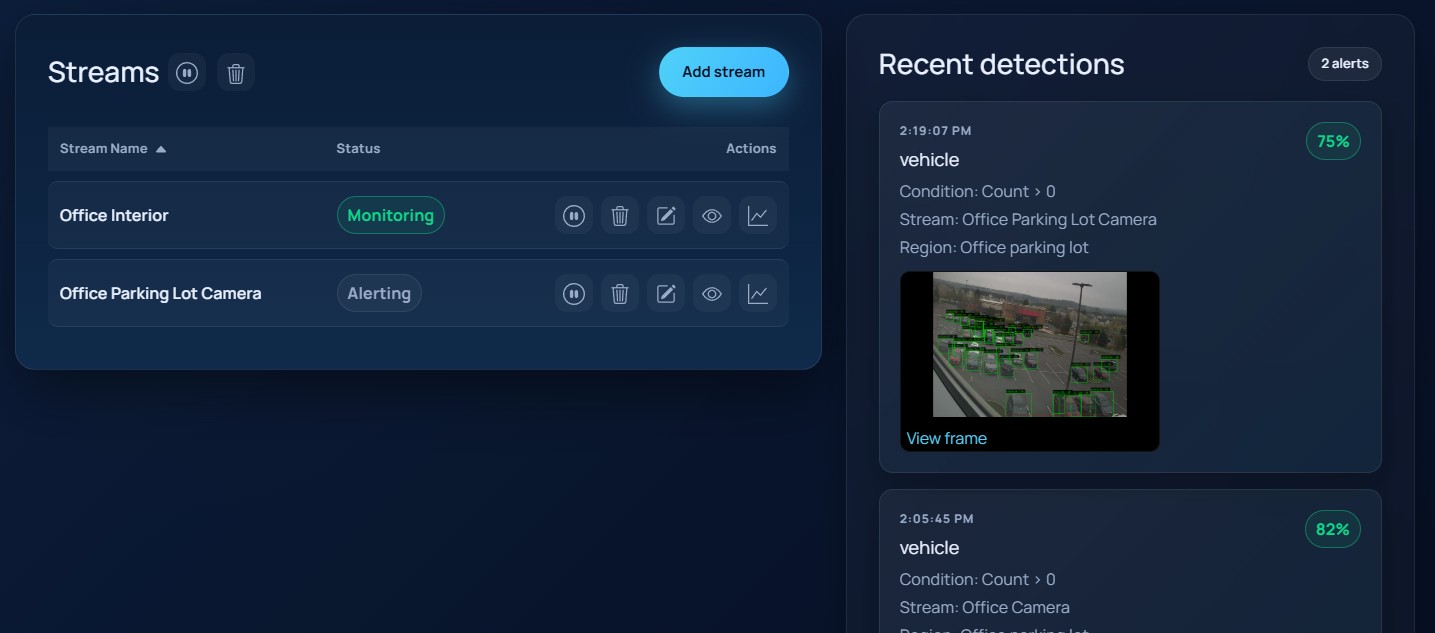
What this workflow covers
- Add and edit RTSP stream configurations.
- Preview the current stream frame before saving.
- Define one or more region-of-interest polygons.
- Add boundary lines for line-cross conditions.
- Configure motion detection, object detection, face recognition, and similarity detection.
- Tune alert conditions, alert timing, and notification options.
- Review recent detections without leaving the page.
Recommended setup sequence
- Start in Managing Streams.
- Use the preview frame to create or refine the monitored geometry in Regions and Lines.
- Configure object matching in Detection Settings.
- Finish with Alerts and Notifications.