EyesOnIt Key Concepts
EyesOnIt was designed for people who are not data scientists or computer vision experts. This section introduces the key concepts used by the EyesOnIt UI in a non-technical way. These concepts provide the background for the user guide that follows.
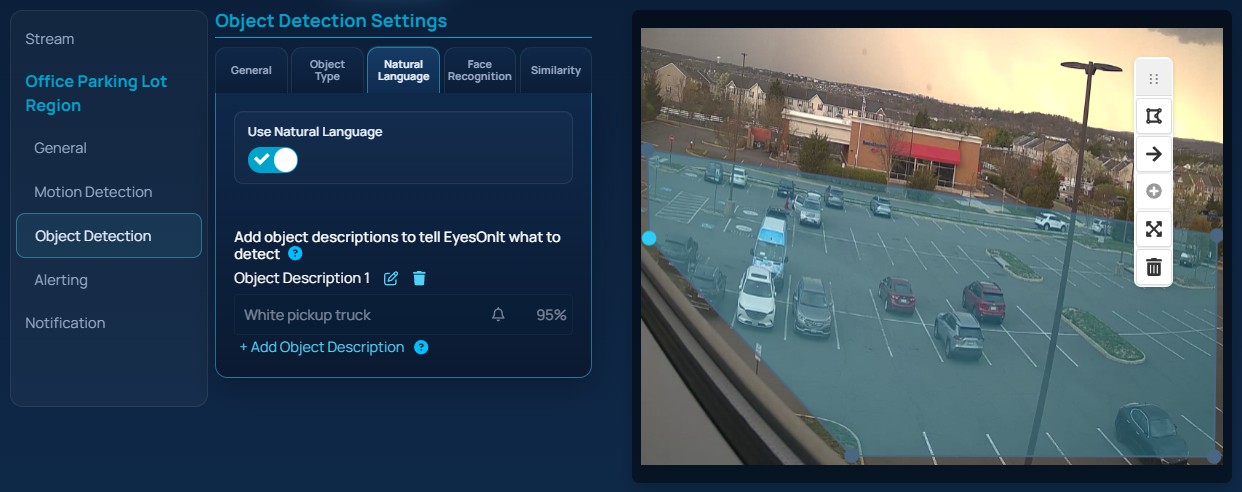
The image below shows a representative EyesOnIt camera configuration page with a region and detection settings.
This section covers the following key concepts:
Video Stream URLs
To get video from your camera
Detection Regions
To tell EyesOnIt where the action is
Detection Configurations
To tell EyesOnIt what to look for
Confidence Levels
An important concept for generating alerts
Object Detection
Details about object type, natural language, face recognition and similarity matching
Frame Rate
How often to check for activity
Motion Detection
Detecing motion before detecting objects
Search
How archive search, live search and indexing work together
Face Recognition
How EyesOnIt thinks about groups, people and face matching
Image Similarity
How to search or detect by example image instead of text
Alerting
Generating and sending alert notifications