Detection configurations
A detection configuration consists of settings that tell EyesOnIt how to perform detection within the polygon of a specific detection region. EyesOnIt provides enough control to let you detect what you want without generating unnecessary detections or alerts.
The image below shows a region with the main detection and alerting settings for that region.
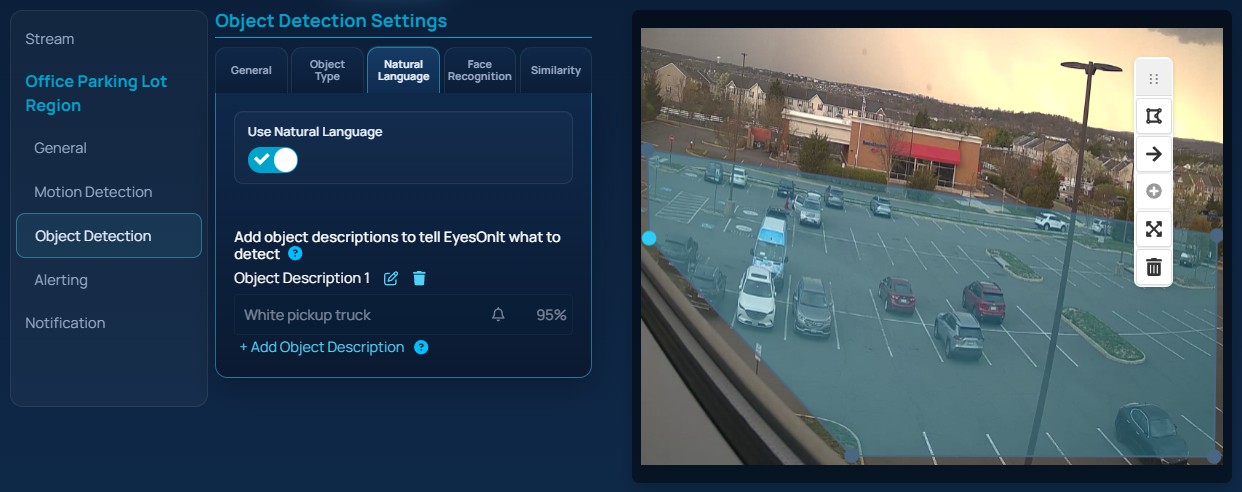
There are four main groups of settings in the current Web UI:
- Object detection settings describe what EyesOnIt should try to match inside the region. This includes object type, natural language descriptions, face recognition, and image similarity.
- Motion detection settings apply only to video. These settings decide when a video region should be checked for objects.
- Alerting settings apply only to video. These settings decide when a qualifying detection should become an alert.
- Stream-level search and notification settings work alongside region settings. These decide whether the stream should be indexed for later search and whether alert notifications should be sent.
In practice, a good detection configuration answers four questions:
- Where should EyesOnIt look?
- What should it try to match?
- When should a match become an alert?
- Should the stream also be searchable later?