Alerting
Alerting is how EyesOnIt turns detections into something that requires attention. In the EyesOnIt UI, alerting appears in both video monitoring and live search.
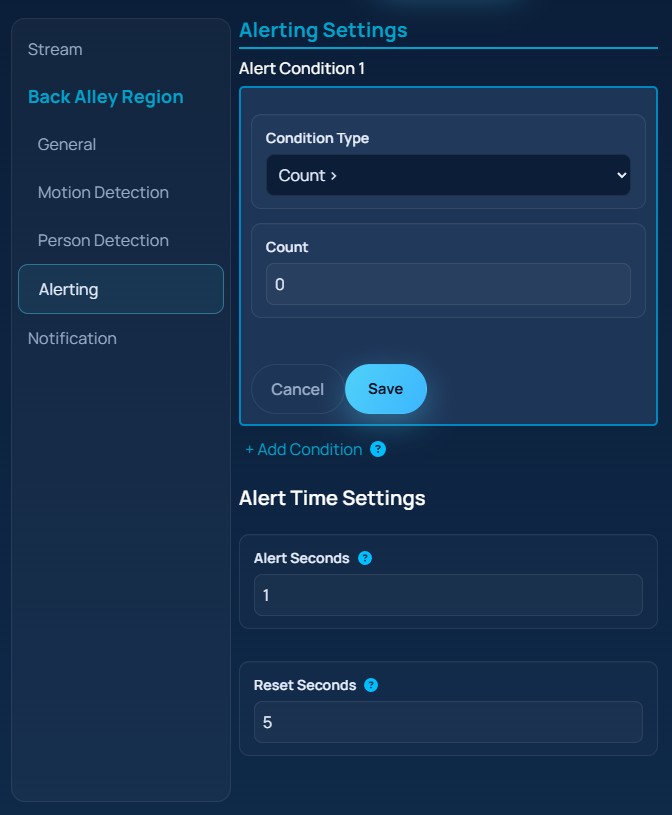
The image below shows the monitoring alert panel.
Object Description Alert Settings
With each object description, you can tell EyesOnIt:
- whether it should send an alert if the described object is detected
- the minimum confidence required before EyesOnIt sends the alert
These settings are described in the object descriptions page.
Region Alert Settings
These alert settings apply to an entire region.
Alert Conditions
Alert conditions are used to alert based on the number of objects detected, or based on an object crossing a line. For example, you can tell EyesOnIt to alert when more than three people are present. Or you can tell EyesOnIt to alert when a vehicle crosses a line that represents the entrance to a restricted area.
Alert Seconds
This setting allows you to indicate how long a condition must be continuously true before an alert is set. For example, you can tell EyesOnIt to only send an alert if five or more vehicles have been present for 10 minutes.
Reset Seconds
This setting tells EyesOnIt how long the condition must be continuously false before EyesOnIt will consider sending another alert. As an example, you may want EyesOnIt to send an alert when a vehicle enters a restricted area, but not send another alert for that same condition until no vehicles have entered the area for 5 minutes. The idea is that the first alert will trigger an investigation, and you don’t need an additional alert when you are already investigating.
Live Search Alerts
Live Search introduces another alert concept: the search-level alert threshold. Instead of configuring alerts inside a region, you configure how confident EyesOnIt should be before a running live search produces an alert.
This makes live search useful for situations where you want continuous monitoring for a known description, an enrolled face, or a similarity example without creating a full stream monitoring rule first.
Notification Methods
In the current Web UI, notification settings are SMS-oriented.
SMS Alerts
To receive SMS alerts, you can provide a phone number to EyesOnIt. You can also tell EyesOnIt whether you want to receive an image with each SMS alert.