Face Recognition
Face recognition allows EyesOnIt to match detected faces against enrollment data that you have already stored. In the EyesOnIt UI, face recognition appears in both search workflows and detection workflows.
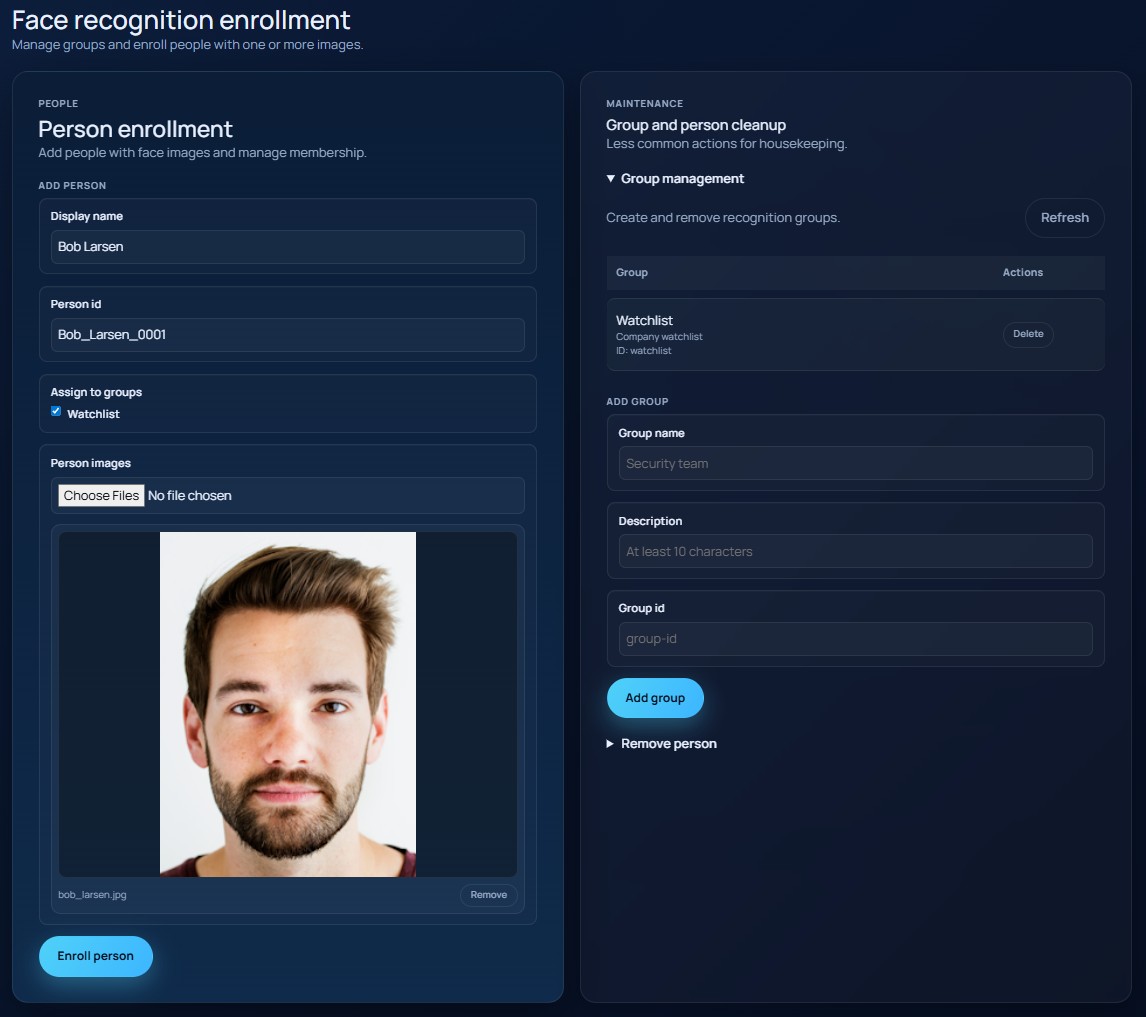
The image below shows the face enrollment page.
Groups and people
EyesOnIt organizes face recognition around two simple ideas:
- people
- groups
A person is one enrolled identity with one or more enrollment images. A group is a collection of enrolled people.
This gives you two ways to match faces:
- match one specific person
- match any person in a group
Enrollment
Before face recognition can be used, a person must be enrolled. Enrollment includes:
- a display name
- a person ID
- one or more face images
- optional membership in one or more groups
You can think of enrollment as teaching EyesOnIt who a person is before asking it to recognize that person later.
Face matching in detection
In a detection workflow, face recognition tells EyesOnIt to compare detected faces to enrolled identities instead of relying on a text description alone.
Face recognition settings include:
- match type: person or group
- the selected person or group
- a match threshold
Face matching in search
In search workflows, face recognition lets you search by enrolled identity instead of by appearance description. This is often more reliable than text when the goal is to find a known person or a known group of people.
The search experience uses autocomplete so the user can choose a person or group that already exists in EyesOnIt.