Search
Search is how EyesOnIt helps you move from real-time monitoring to investigation. In the EyesOnIt UI, search appears in two forms:
- archive search
- live search
The image below shows the archive search with the search mode tabs.
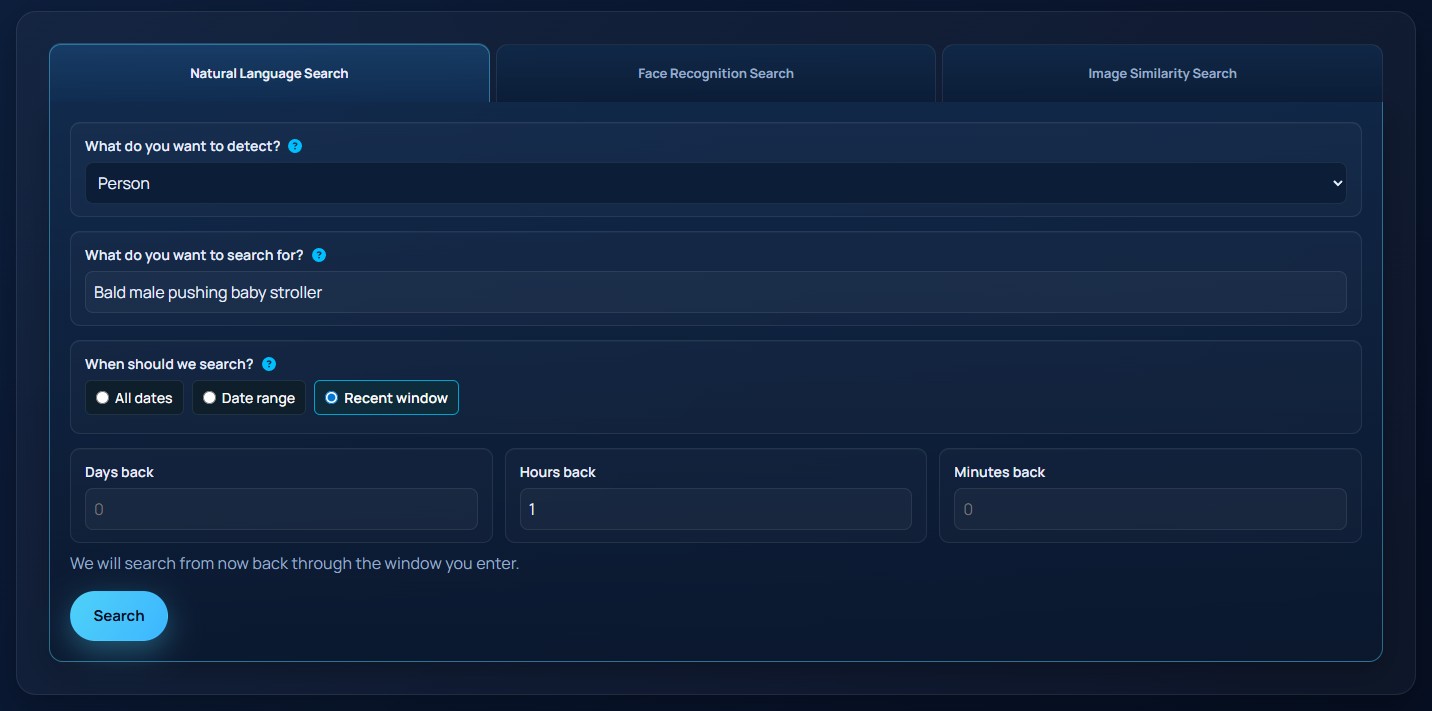
Search depends on indexing
Archive Search works only on video that has been indexed for search. In the Web UI, indexing is enabled at the stream level.
When you configure a stream, you can tell EyesOnIt:
- whether the stream should be indexed for search at all
- which object families should be searchable later
If a stream is not indexed for search, its video can still be monitored live, but it will not be available for archive search later.
Archive Search
Archive Search looks through indexed historical results. It is designed for investigation after an event has already happened.
Archive Search supports three main search styles:
- natural language search
- face recognition search
- image similarity search
It also supports three time scopes:
- all dates
- a date range
- a recent time window
Live Search
Live Search is for ongoing detection. Instead of looking through stored results, it continues running and raises alerts when EyesOnIt sees a match.
Live Search uses the same three search styles as Archive Search:
- natural language
- face recognition
- image similarity
Live Search adds two concepts that do not apply to Archive Search:
Alert Threshold
The confidence level required before a live match becomes an alert.
Duration
How long the live search should continue running. A blank duration means the search should continue until it is paused or removed.
Search by text, identity, or example
In practice, EyesOnIt supports three different ways to express a search:
- text, such as
person with red shirt - identity, such as a specific enrolled person or group
- example image, such as a face crop or a result from a previous search
These are different ways of answering the same question: "what should EyesOnIt try to find?"
Moving between searches
The current Web UI lets you pivot from one result to another type of search. For example, an archive result can be used as the example image for another archive similarity search or for a live similarity search.