
Detect dwell and loitering
Create an incident when one person remains in an area long enough to need attention. Use this for a restricted walkway, doorway, or work zone.
Watch the walkthrough
Section titled “Watch the walkthrough”Choose the person and area
Section titled “Choose the person and area”Open Monitor → Configure and select the region. Under Detection, use Person and At least one matching object is detected. Name the configuration clearly, such as People in the walkway. Add size or description filters if the rule should apply to a particular kind of person.
Position the region over the area in which time should count. A tight region around a doorway answers a different question from a region covering the entire approach.
Set the dwell rule
Section titled “Set the dwell rule”- Open Rules and choose Detection rule.
- Select your person configuration.
- Set Rule name to a useful incident title, such as Person lingering in walkway.
- Set Dwell (s) to the time each person must remain. This short demonstration uses 3 s; a loitering workflow might use 30 s or longer.
- Set Reset (s), severity, and the active schedule. Review actions before enabling delivery.
- Choose Save configuration.
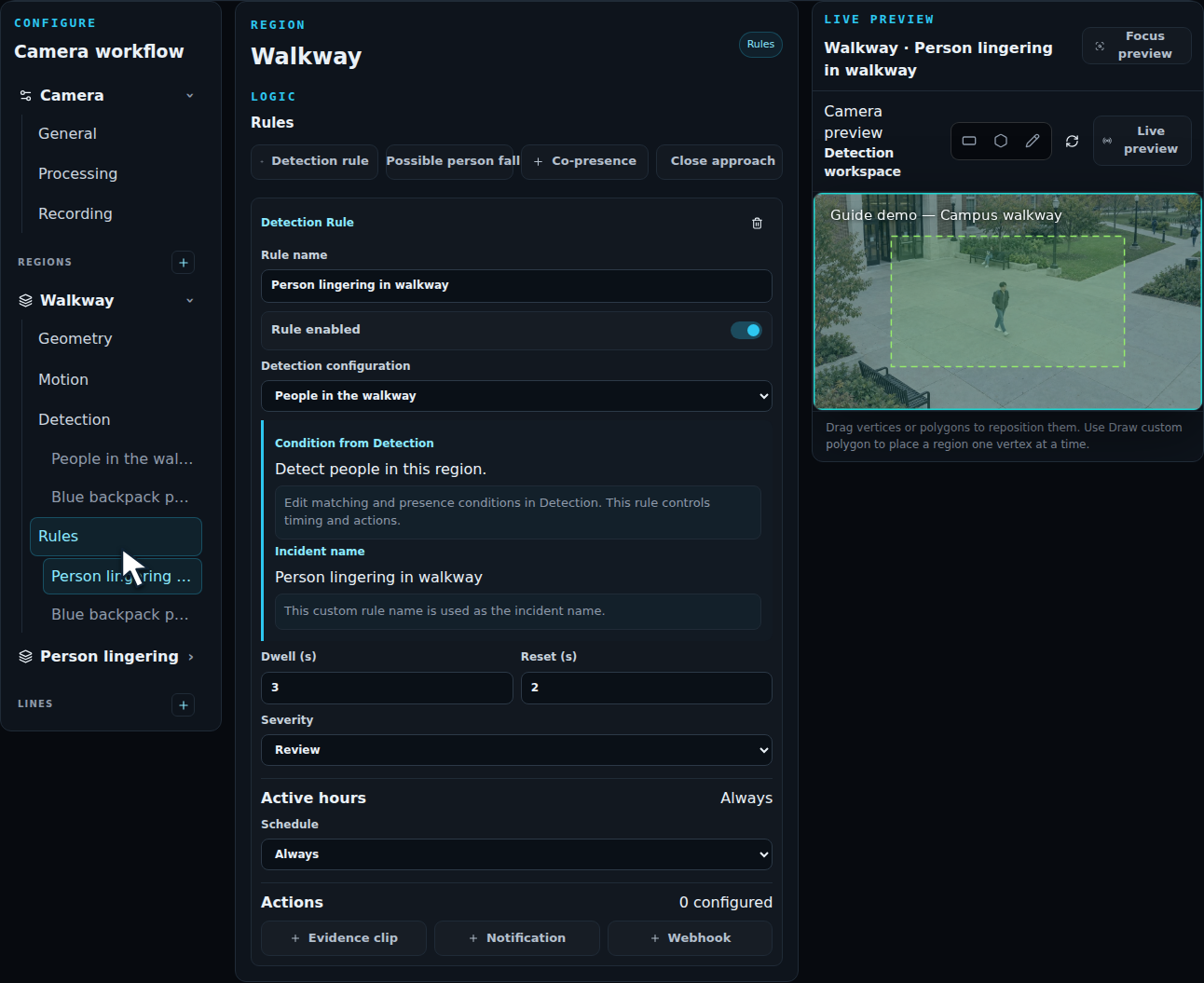
For an object-based detection, dwell follows each tracked object. Two people passing through in succession each have their own timer. A longer period of general activity does not combine their time into one person’s dwell.
Check the event
Section titled “Check the event”Test a brief pass-through and a person who remains longer than the threshold. Review the resulting incident and evidence. Confirm that the region and object filters include the person throughout the event.
Use Reset to define the confirmed recovery period for the occurrence. Test a brief occlusion as well as a full departure. For repeatable comparisons, process a recorded clip containing both short and sustained visits.
A starter template provides a Person lingering example with a 30-second dwell that you can adapt to your scene.