
Tune motion and detection timing
Use motion settings to focus detector work on activity in a region, then check that slow movement and the events you care about are still picked up.
Watch the walkthrough
Section titled “Watch the walkthrough”Set motion admission for a region
Section titled “Set motion admission for a region”Open Monitor → Configure, select your region, and choose Motion. Turn on Perform object detection only when motion detected.
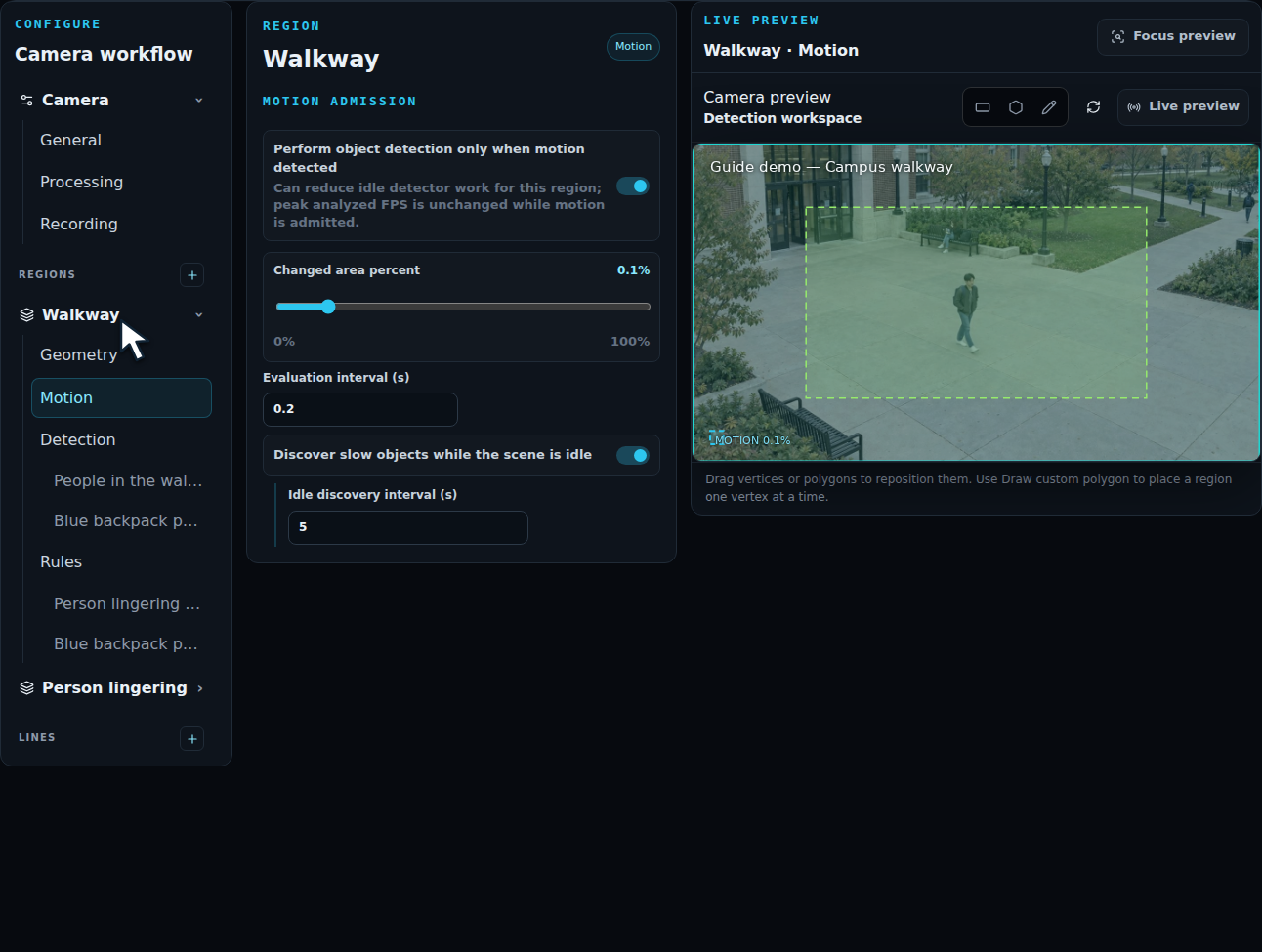
| Setting | What to check |
|---|---|
| Changed area percent | How much of the region must change before motion is admitted. Use a lower value for small movements; increase it when background movement admits too much activity. |
| Evaluation interval (s) | How frequently motion is checked. The example keeps 0.2 s. |
| Discover slow objects while the scene is idle | Periodically run detection while motion admission is idle. Useful for people moving slowly or remaining still. |
| Idle discovery interval (s) | How often that discovery check runs. The example uses 5 s. |
Choose Save configuration to apply the settings. Motion admission is configured per region, so a quiet doorway and a busy work area can use different settings.
Test the whole event
Section titled “Test the whole event”Watch someone enter, pause, and leave the region. Include a slow approach and activity near the region boundary. Check both the detection overlay and the resulting incident. Use recorded video to repeat the same event when comparing settings.
Tune one layer at a time:
- Position the region over the activity you need.
- Check object type, confidence, and size.
- Set motion admission and idle discovery.
- Set Dwell, Reset, and the active schedule in Rules.
- Review the incident and its evidence.
A short Dwell catches brief events; a longer one focuses on sustained activity. Reset controls how long confirmed recovery must last before an occurrence ends. Use per-object dwell when each person’s time in the region matters.
For a quick check of object selection in a single frame, use Image Lab. Validate motion, duration, and repeated incidents with video.