
Configure PPE detection in Genetec
Detect confirmed missing or worn equipment on tracked people, then apply the rule’s timing.
1. Select the work area
Section titled “1. Select the work area”Open Analytics → EyesOnIt Configuration for the lab camera. Draw or select a region covering the work area, including people’s working positions and hands. Under Detection Configuration → Object Type, enable detection of person and check the confidence and size filters.
2. Configure missing gloves
Section titled “2. Configure missing gloves”Open PPE and use:
| Control | Setting |
|---|---|
| Use PPE Detection | On |
| Equipment condition | Person is missing selected PPE |
| Equipment requirement | Any selected item |
| PPE to detect | gloves on; other items off |
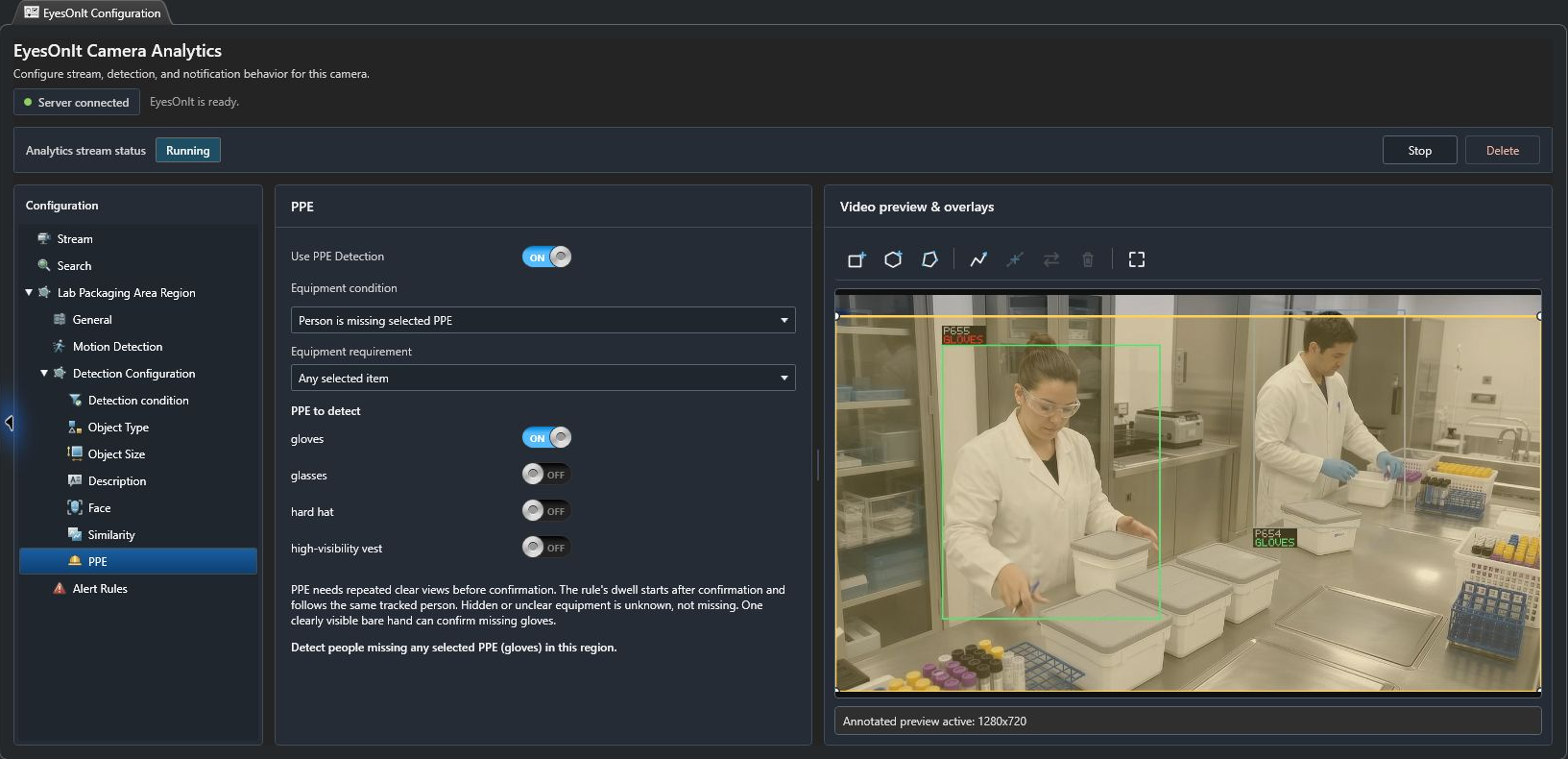
For several selected items, Any selected item requires at least one qualifying assessment on a person. All selected items requires every selected item to qualify on that person. Choose Person is wearing selected PPE for the wearing condition.
Hidden or unclear equipment remains unknown. One clearly visible bare hand can confirm missing gloves. EyesOnIt needs repeated clear views before confirmation; the rule’s dwell begins after confirmation and follows the same person.
3. Set the alert rule
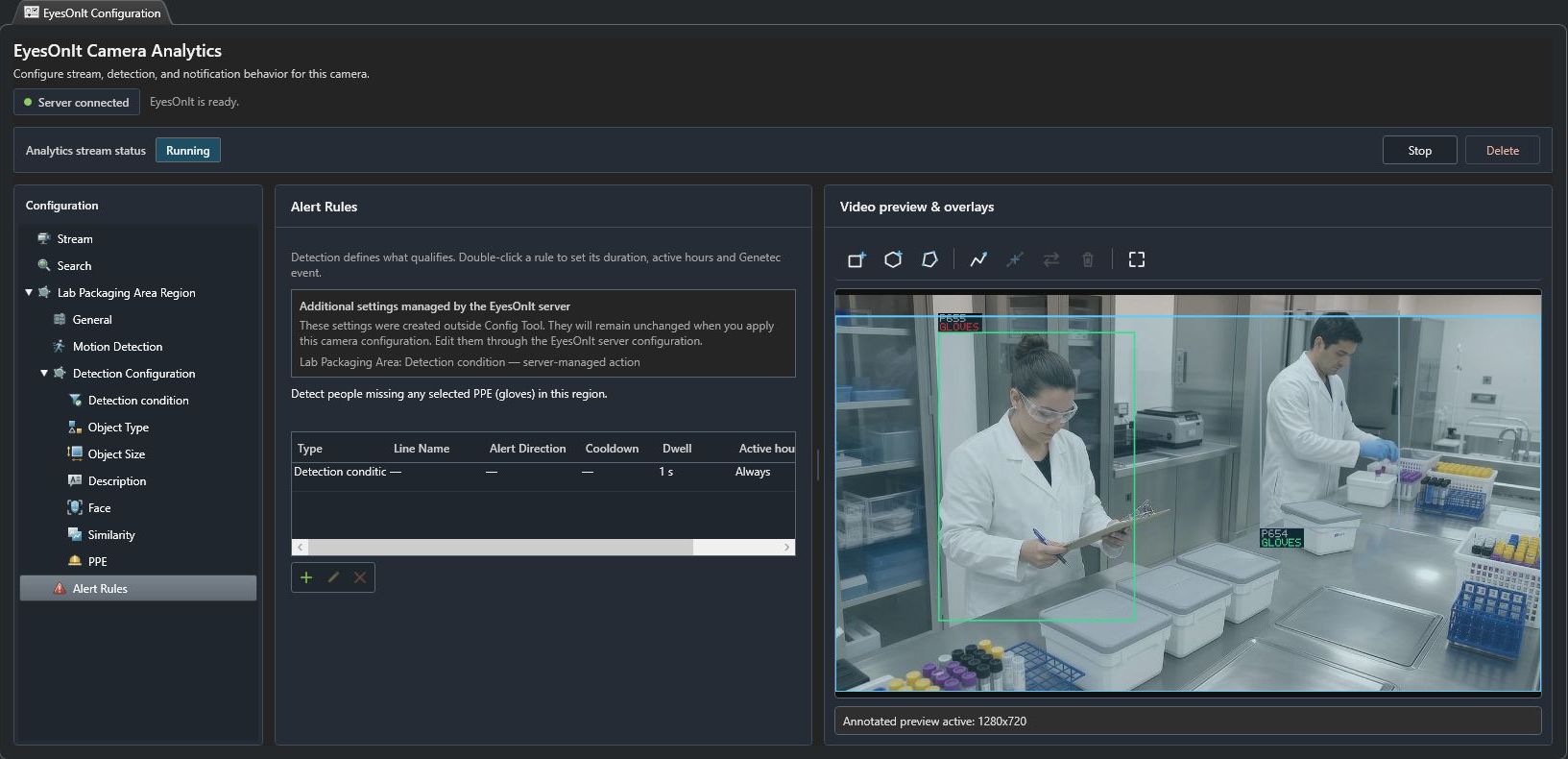
Section titled “3. Set the alert rule”- Open Detection condition and select At least one matching object is detected.
- Read the missing-gloves summary.
- In Alert Rules, add or edit a Detection condition rule.
- Name it Missing gloves — work area. For a controlled test, use 3 seconds dwell, 5 seconds reset, Warning severity, and Always active hours.
- Save the rule and apply the camera configuration. Start analytics if needed.
These timing values match the written web UI example. The existing illustrated lab camera uses its own saved timing; qualify the values against your footage.
4. Check annotated video and evidence
Section titled “4. Check annotated video and evidence”Watch the full working sequence. Check the person without gloves and a person wearing gloves, including brief hand occlusions. When analytics are running, the preview can show tracked people and equipment assessments.
To retain PPE history, enable Search → Search Indexing → PPE and apply the configuration before collecting the period to investigate. Follow PPE search to review retained assessments. Use notifications and evidence for optional Genetec events and server-managed evidence actions.